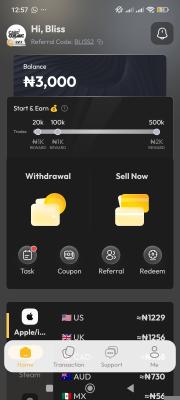

Download CardBoss App ( instant Payment Approval)
₦93.75 NGN
You Earn
22
Slots Left
30
Total Slots
1 📸
Screenshots
Job Description
📲 CARD BOSS NEW USER REGISTRATION
🔹 HOW TO COMPLETE THE TASK
Step 1 — Install CardBoss
📱 For Android:
https://play.google.com/store/apps/details?id=com.farahdeem.app&hl=en
🍎 For iPhone:
https://apps.apple.com/us/app/cardboss-sell-gift-cards/id6756878341
Step 2 — Register
Open the app and choose “Sign up with Google” to create your account.
Step 3 — Add the Invitation Code ( XDLA6G)
During registration, you will be asked:
“Have an Invitation Code from Someone?”
Enter the code below exactly as shown:
👉 XDLA6G
Step 4 — Finish
Tap “Enter CardBoss” and wait for the app to take you to the main page.
📸 SUBMISSION REQUIREMENT
1. Submit the screenshot of your CardBoss dashboard
2. Screenshot the page where you input my invitation code
⚠️ Read the description FIRST before clicking
Only click when you are ready to complete the task.