Gemgala app
₦93.75 NGN
You Earn
54
Slots Left
127
Total Slots
1 📸
Screenshots
Job Description
⚠️ CRITICAL WARNING: If you have downloaded or used the Gemgala app on your phone before, DO NOT do this job. You cannot create two accounts on the same phone—the platform will detect it, the verification will fail, and you will be reported for fake proof. New users only!
Step-by-step Instructions:
Click this link to download and install the app:
https://getblock.me/u/25067027
- Open the app, sign up completely, and set up your account.
Go straight to your profile settings and complete the Face Verification process.
Make sure your face verification is
successful.
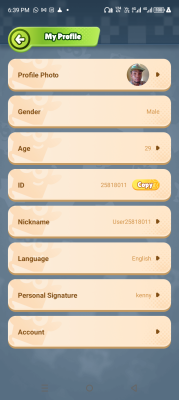
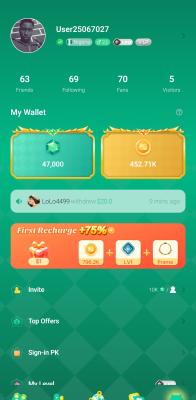
Send a clear screenshot of your "My Profile" page inside the app.
The screenshot MUST clearly show your user ID/Nickname and show that "Face Verification" is marked as "Verified" in green just like the sample screenshot provide
d
⚠️ Read the description FIRST before clicking
Only click when you are ready to complete the task.