Palmpay SIGNUP with Referral code & Buy Airtime
Read carefully before you start this task
Download the PALMPAY app from the play store by clicking the link below
https://play.google.com/store/apps/details?id=com.transsnet.palmpay
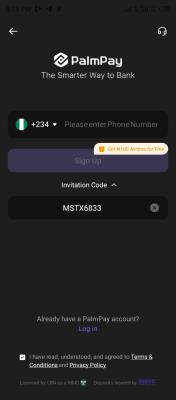
STEP 2: Open the app and Tap on ENTER NUMBER. Type in your phone number and then look carefully Under the Enter phone number, you will see, INVITATION CODE/ REFERRAL CODE. Tap on it and Type in LZMS2317 ( Screenshot and send to WhatsApp 08034864635)
STEP 3: After you type in my referral code LZMS2317 CLICK ON SIGNUP. it will take you to the dashboard.
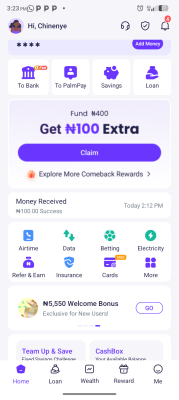
STEP 4: TAP & CLAIM THE #100 COUPON CARD ( SCREENSHOT & SEND TO WHATSAPP 08034864635)
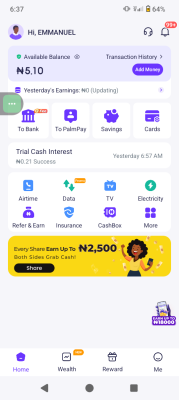
STEP 5: After Completion of registration, fund your account with #100 on palmpay and buy airtime on palmpay app.
Buy the airtime and screenshot successful purchase of airtime ( Screenshot and send to WhatsApp number 08034864635
NOTE :
Screenshot must be clear and the timestamp on the screenshot must show if not you won't be paid.
You will Also write your palmpay username/ phone number which you use to register with my referral code and send to WhatsApp number above.
If you have a palmpay account already, don't participate or use another number to register fake screenshot means you'll be reported.