GEMGALA NEW USERS ONLY
⚠️ *READ FIRST – NEW USERS ONLY*
*This task is for people who have NEVER installed GEMGALA before on their phone. If you already have it, skip this job. Do not uninstall and reinstall – it will not count.*
*Gemgala face verification is just a quick selfie (takes 5 seconds). Some phones skip it automatically, but if it asks, just do it.*
*STEP-BY-STEP:*
*1. Click my link FIRST: https://getblock.me/u/24895231*
*2. Download Gemgala – Party & Chat & Games*
*3. Open app → Sign up with Google or Email account (must be new, never downloaded GEMGALA app before)*
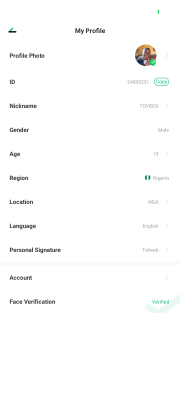
*4. Complete profile: set nickname, gender, age, region = Nigeria (like my own profile TOYIB26)*
*5. Go to My Profile → Face Verification → take a clear selfie. If your phone doesn't ask, skip this step.*
*6. Wait until you see "My Wallet" page with 0 gems.*
*PROOF TO UPLOAD (2 screenshots, show today's date/time in status bar):*
*- Screenshot 1: Your "My Profile" page showing ID, nickname, and Face Verification status (Verified or the selfie screen)*
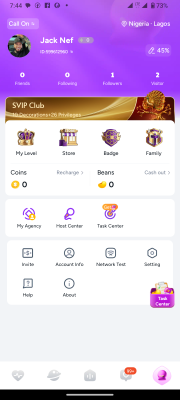
*- Screenshot 2: Your "My Wallet" home screen showing the green gem balance (new users start at 0)*
*REJECT if: Old account, no date visible, cropped, Gmail already used on Gemgala, profile not completed.*
*I will check my Gemgala Invite page before approving. Keep app installed 24hrs.*